Auth Concept
The Split Token
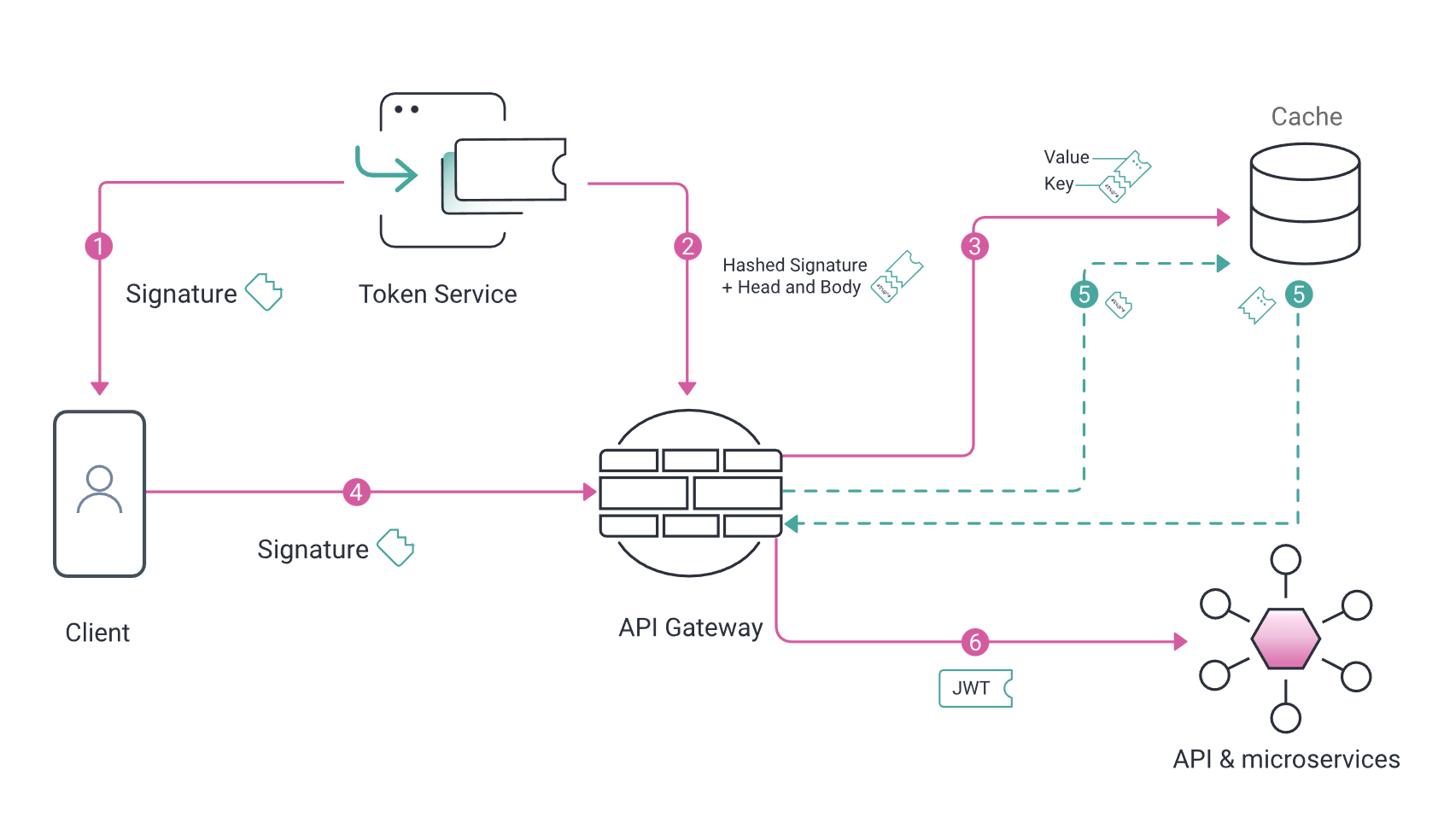
How internal service check user for authorization
Sequence diagram
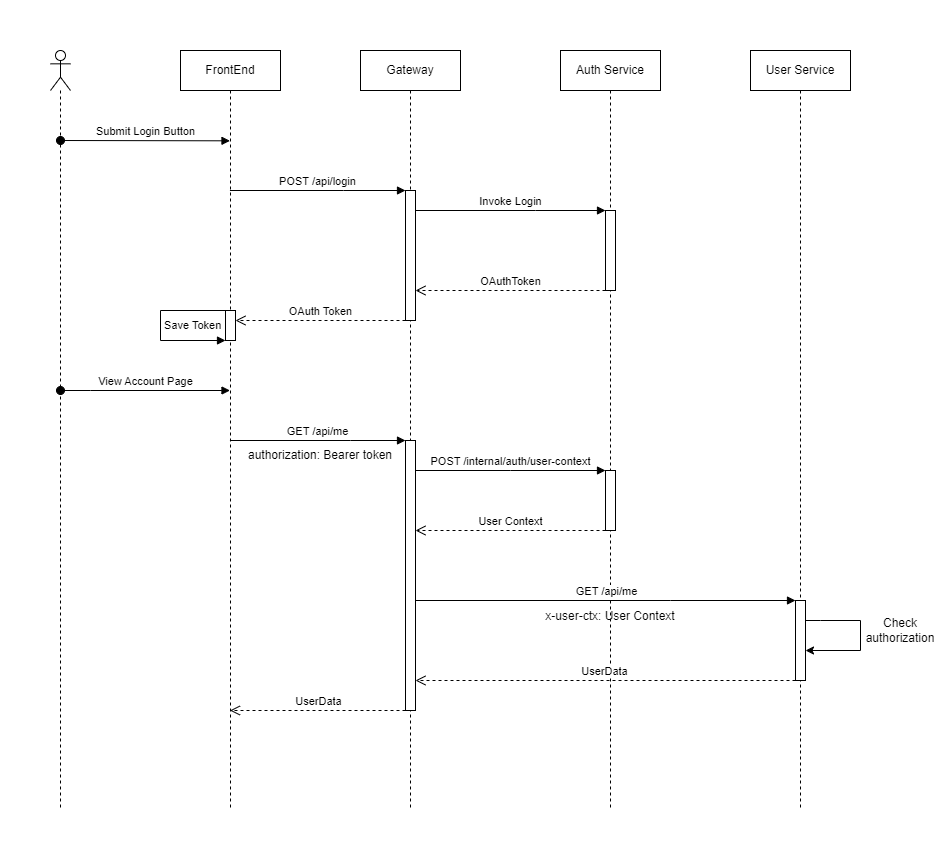
[Client] and [ApiGateway] communicate with each others via OAuthToken (mainly Access Token)
[ApiGateway] and [Internal Services] communicate via UserContext
OAuth Token
Result from any POST /api/auth/login calls is OAuthToken object that agree uppon OAuth 2 Specification
class OAuthToken {
  accessToken: string;
  accessTokenExpiresAt?: Date;
  refreshToken?: string;
  refreshTokenExpiresAt?: Date;
  scope?: string;
  userId?: string;
  clientId?: string;
  message?: string;
}
Properties
| Field | Description |
|---|---|
accessToken | a string representing the access token obtained from the OAuth provider. |
accessTokenExpiresAt | an optional date object representing the expiration date of the access token. |
refreshToken | an optional string representing the refresh token obtained from the OAuth provider. |
refreshTokenExpiresAt | an optional date object representing the expiration date of the refresh token. |
scope | an optional string representing the scope of the access token. |
userId | an optional string representing the user ID associated with the access token. |
clientId | an optional string representing the client ID associated with the access token. |
Usage
OAuthToken is used for indentifying user to interact with Api endpoints
Token expirations
OAuth Tokens include AccessToken and RefreshToken that always have expiration date (with exception for Guest user that has RefreshToken never expires).
When AccessToken is expired
- Use RefreshToken to retreive new AccessToken.
- API server will always return 401 for any authenticated
- Application can check
x-error-codewith valueaccess-token-expiredin response header to dertimined the token is expired
When RefreshToken is expired
- Users must need to re-login again.
- Application can check
x-error-codewith valuerefresg-token-expiredin response header to dertimined the token is expired
User context
The UserContext class is used by an API gateway to exchange information with an authentication service using an access token. It represents the context of a user and used to authorized access to other internal services.
Properties:
| Property | Description |
|---|---|
id | The user's unique identifier. |
clientId | (optional) The client identifier associated with the user. |
authorization | (optional) Authorization details, such as token type and access token. |
user | (optional) The authenticated user object or reference. |
userError | (optional) Error or issue associated with the user. |
data | (optional) Additional data related to the user context. |
User roles
User can has one or more of following roles: user, admin, sysadmin
Roles list:
| Property | Description |
|---|---|
user | Normal user, can only access owner account data |
admin | Admin user, can manage all app data |
sysadmin | Sysadmin user, the same as admin user but allow to update system config |