Authentication in OpenAPI UI
Step 1: Visit document site
Access 18Kings Api OpenAPI Specification UI (https://api.namde.vn/api-doc/)
Account for access OpenAPI UI if required
| Username | Password |
|---|---|
| 18kings.admin | $uZO&7bsF!nH4B48 |
Step 2: Login and get access token
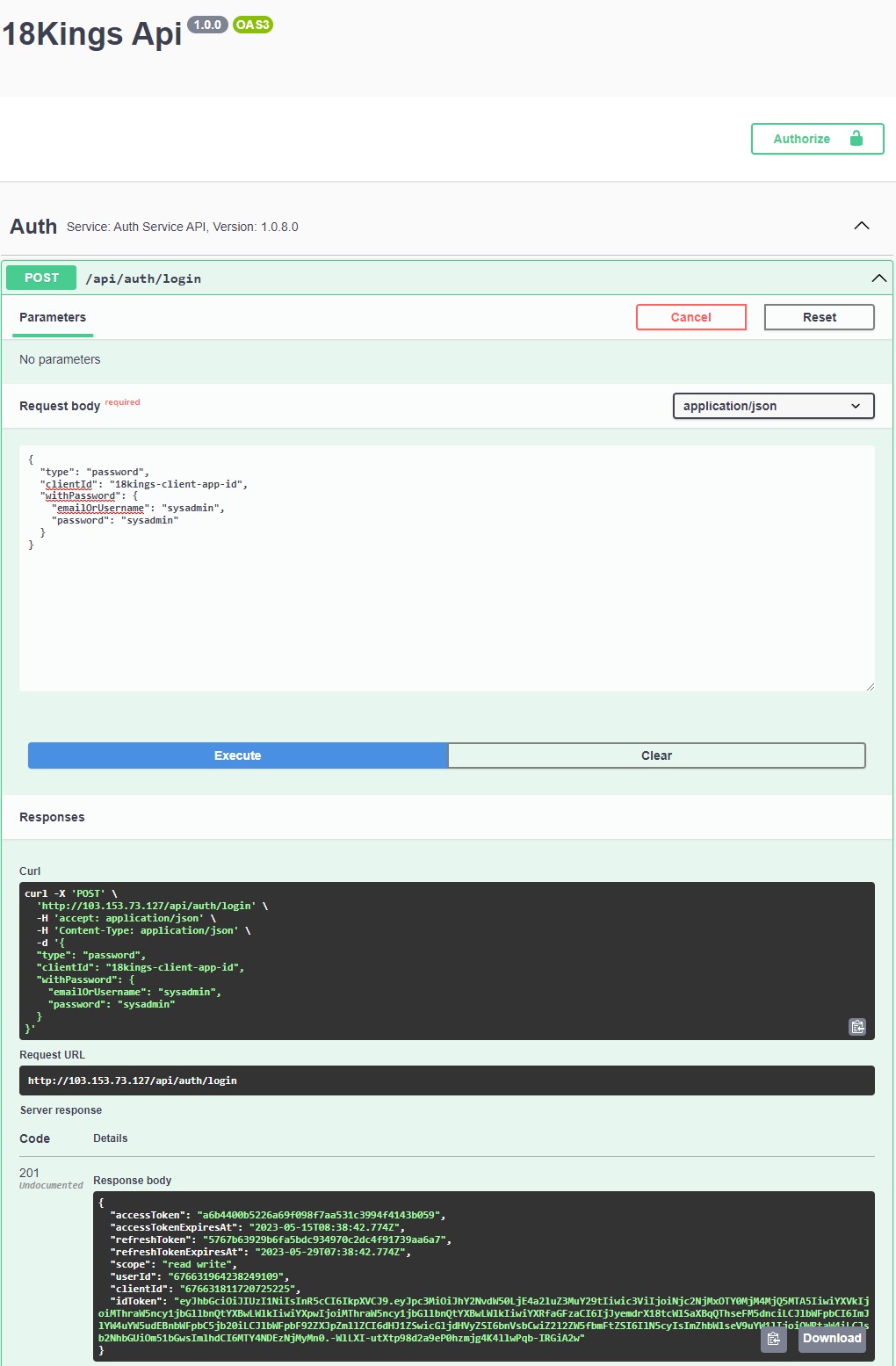
Call POST /api/auth/login with the following request body:
{
  "type": "password",
  "clientId": "18kings-client-app-id",
  "withPassword": {
    "emailOrUsername": "sysadmin",
    "password": "sysadmin"
  }
}
Note
clientId and sysadmin is default app and account, and can be change in production
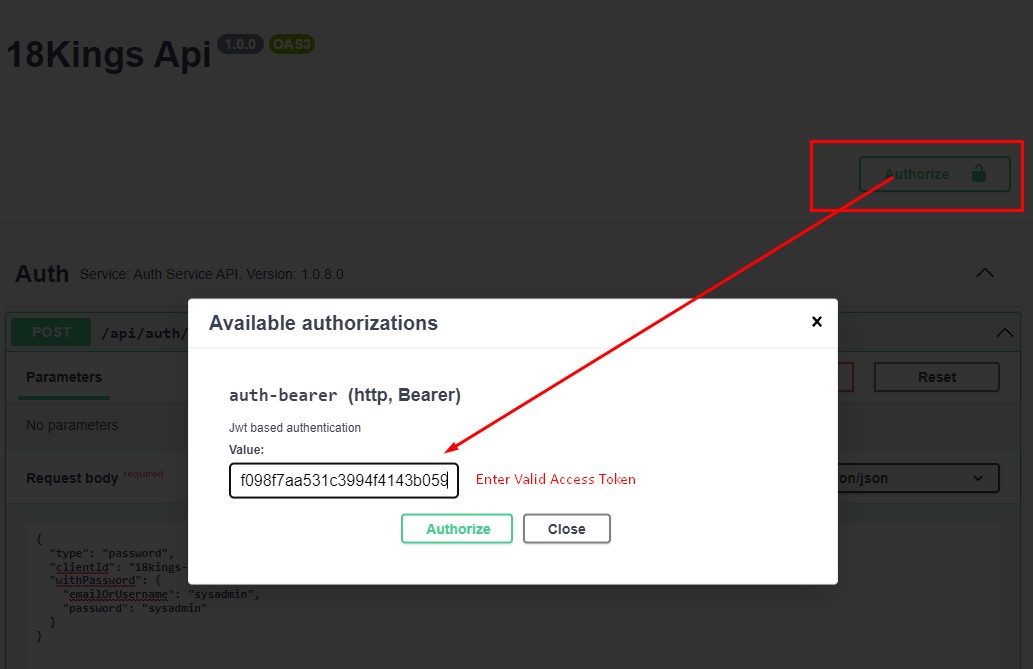
Step 3: Authorize with access token
Copy accessToken from result JSON
Click on Authorize button on top right and enter previous AccessToken value
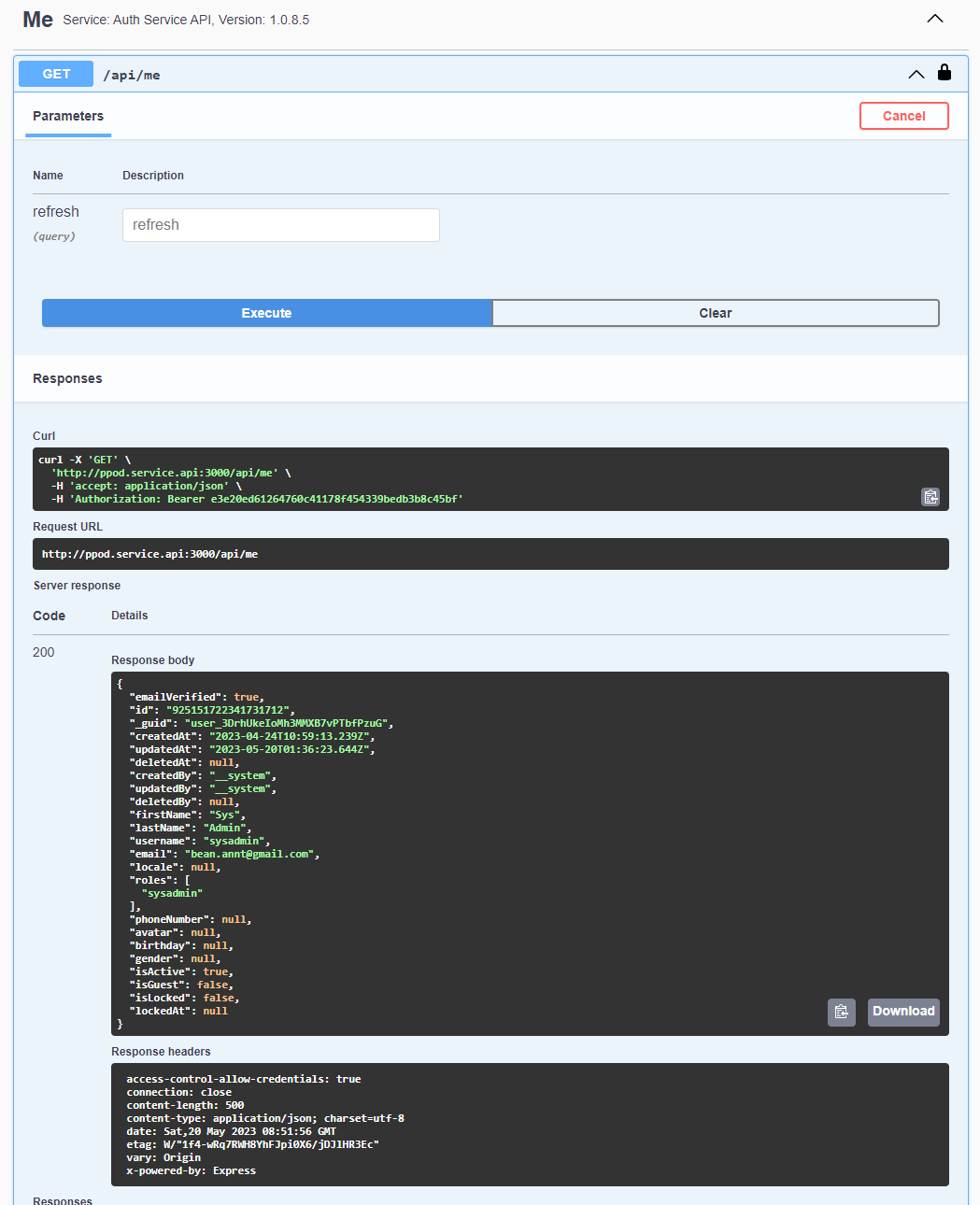
Step 4: Invoke other Api methods